You can extend the response deadline for an ongoing or completed survey if, for example, you are missing responses.
Log in to GAIS and select Surveys in the top menu.
Select the survey for which you want to extend the response deadline and click Edit.
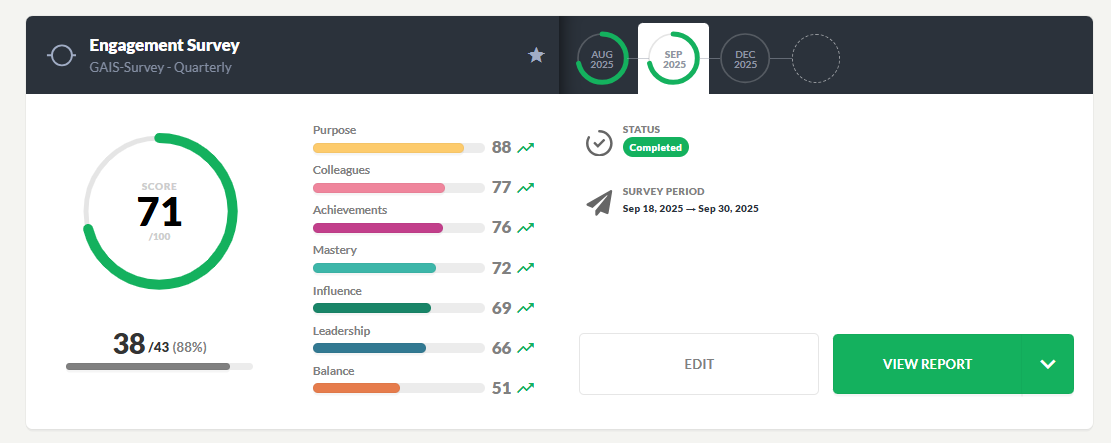
Click on the calendar and choose a new end date. The system saves automatically.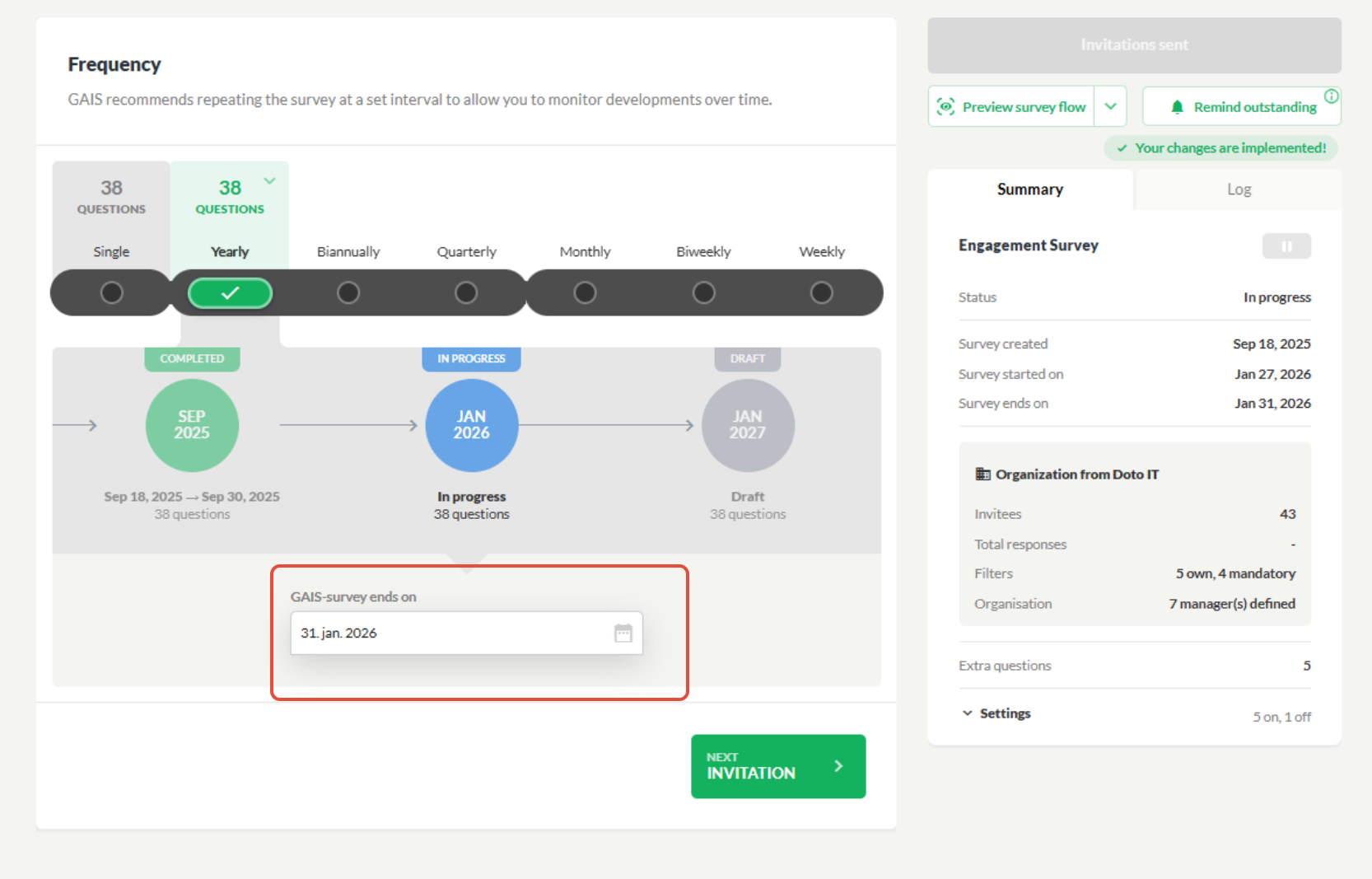
In some cases, the end date cannot be changed. This may be because a scheduled draft is blocking the survey. You can archive or delete a GAIS survey when it is no longer relevant. Archived surveys can be restored later, but deleted surveys are permanently removed and cannot be recovered. The entire survey series can be archived, while individual surveys can only be deleted. Some surveys cannot be deleted, including the first survey in a series (baseline) and surveys that serve as a baseline for a pulse survey.
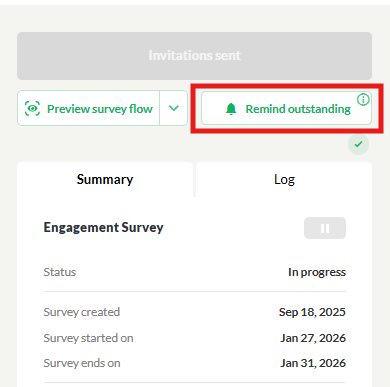
Once the date has been updated, you can click Remind pending to send a reminder to those who have not yet responded to the survey. Participants who have already responded will not receive a reminder. For reasons of anonymity, you cannot see who receives the reminder.
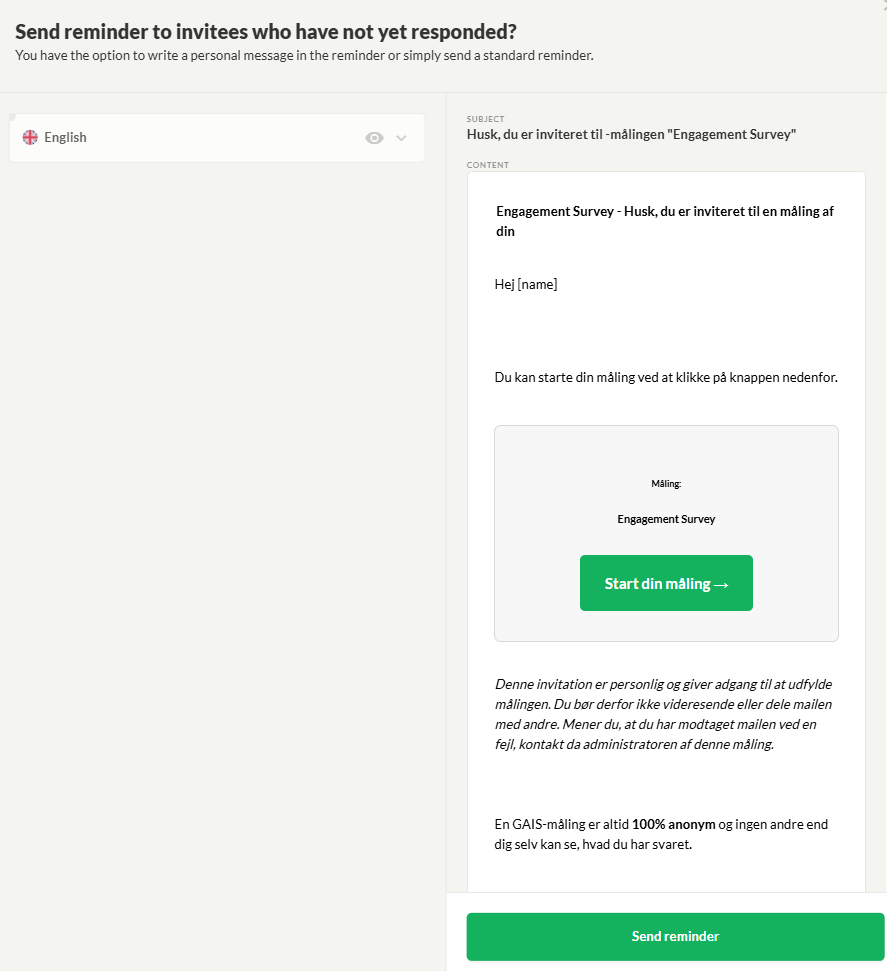
You can also write your own message in the reminder that participants will receive.
Was this article helpful?
That’s Great!
Thank you for your feedback
Sorry! We couldn't be helpful
Thank you for your feedback
Feedback sent
We appreciate your effort and will try to fix the article